ClinicManager
Download the letterhead
Free. No sign-up. Edit the Word file with your details, then print or save it as PDF.
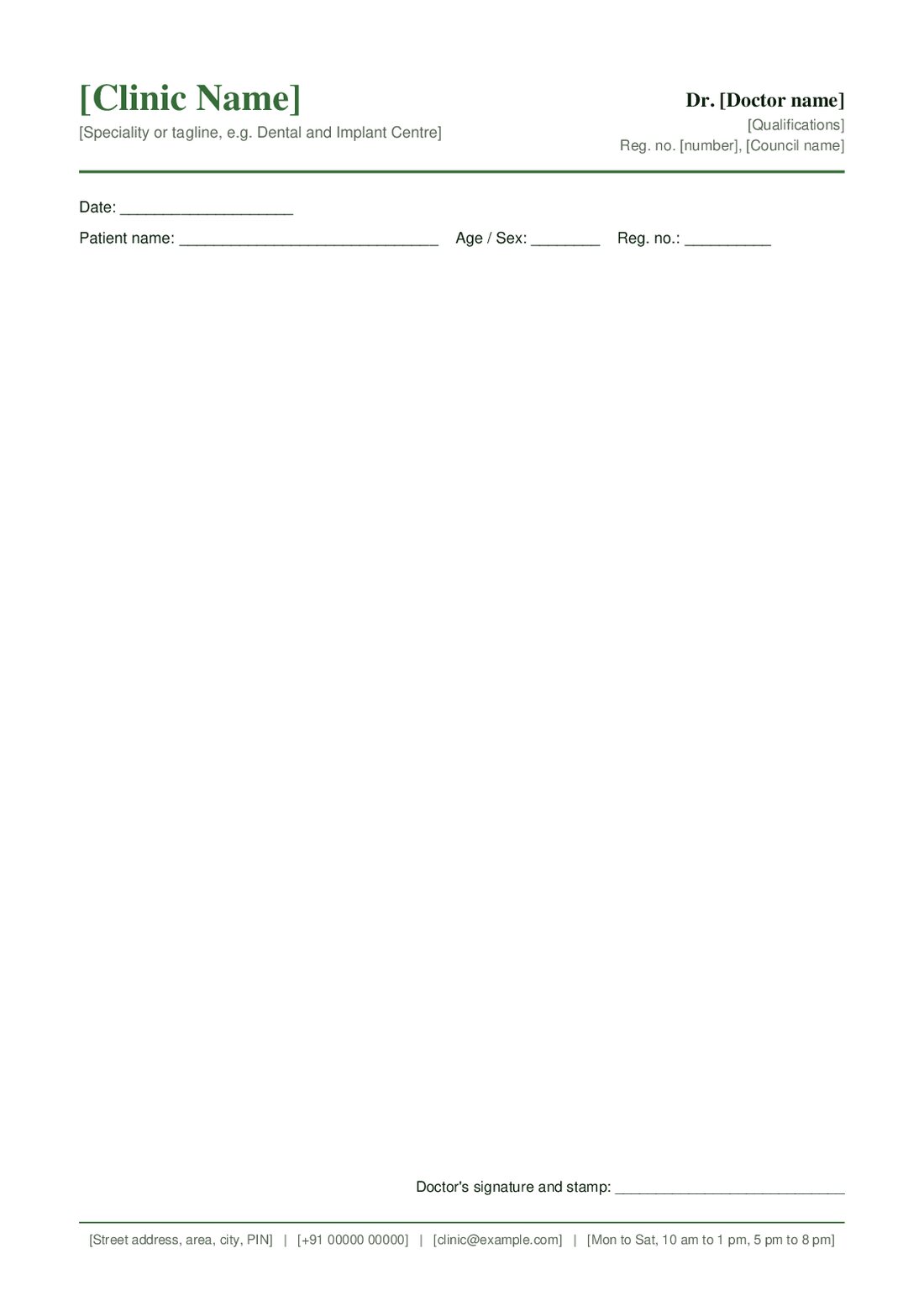
A consistent letterhead makes prescriptions, referral letters and certificates look professional. This format puts the details patients and other doctors look for where they expect to find them.
What goes on it
- The clinic name and your speciality or tagline
- The doctor’s name, qualifications and council registration number
- A date line and space for the patient’s name, age, sex and registration number
- A signature and stamp line, with your address, phone, email and timings at the foot of the page
How to use it
- Open the Word file and replace every square-bracket field with your details.
- Save it as your master copy, then print or save as PDF whenever you need a page.
- Keep your registration number on anything that carries your signature.
Make it fit your clinic
- Several doctors: keep one letterhead per doctor, so the registration number always matches the signature.
- Several branches: keep one per branch, with that branch’s address and phone.
Frequently asked questions
Do I need my registration number on the letterhead?
Medical council codes expect the registration number on prescriptions and certificates you sign, so it is simplest to print it on the letterhead.
Can I add a logo?
Yes. Insert it in the Word file next to the clinic name and keep it small so the text stays readable.
Source and review
Part of the Clinic Resource Hub: general information for clinics, not legal or medical advice, and separate from ClinicManagerPro's product help. ClinicManagerPro is not a government body and this is not an official site.