ClinicManager
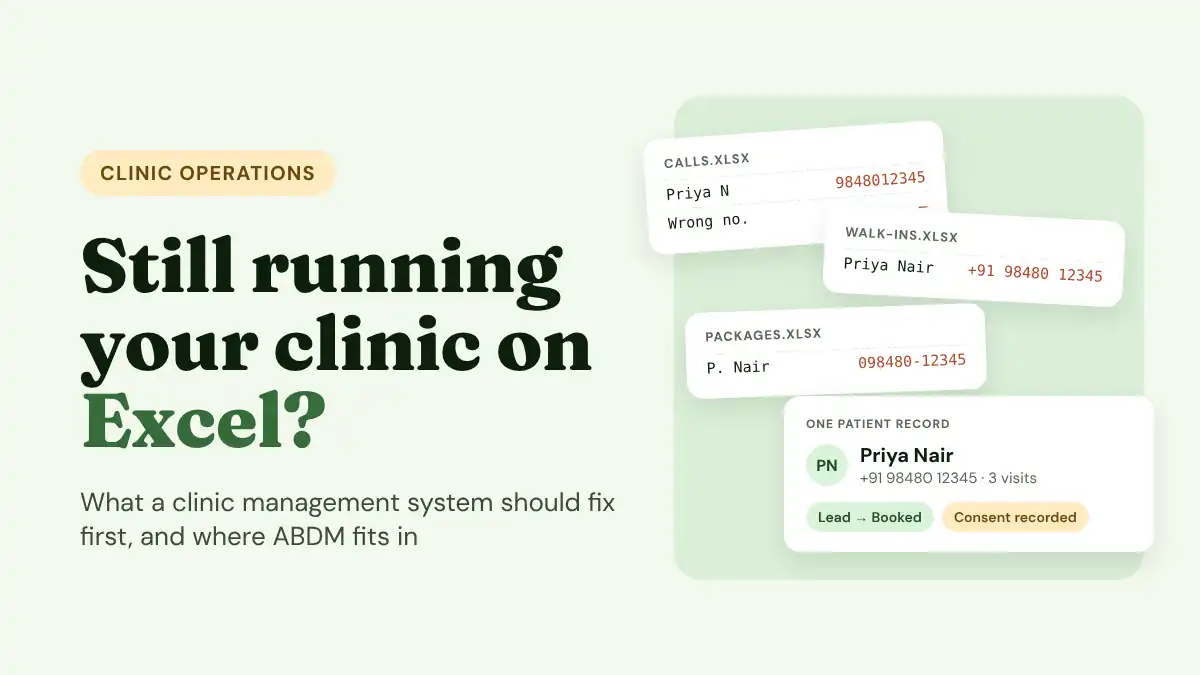
- Most small clinics run the front desk on separate Excel trackers for calls, walk-ins and treatment packages. Each one works on its own, but together they can’t tell the owner which enquiries became paying patients.
- Phone numbers typed differently by different staff are the root problem. Without one clean record per patient, you can’t spot duplicates or returning patients, or send even a simple reminder.
- A weekly table of “calls, walk-ins, revenue” hides the answer the owner needs: which sources and services actually bring in revenue.
- A clinic management system should fix this at the point of entry: one record per phone number, every enquiry tracked to a booking or a lost reason, and reports that join enquiries to revenue.
- ABDM is the next item on the list. It isn’t mandatory for every private clinic yet, but registries, ABHA and ABDM-ready software are moving from optional to expected.
Walk into the reception of almost any two- or three-doctor speciality clinic in India and you’ll find the same setup. A phone that rings all day, a front desk team doing their best, and a set of Excel sheets that have quietly become the clinic’s memory.
We’ve worked closely with several clinics like this. The pattern was almost identical in each one, and it’s worth describing in detail, because it explains why so many clinic owners feel busy but can’t say what’s actually working.
What is a clinic management system?
A clinic management system is software that runs a clinic’s day-to-day work in one place: enquiries, patient records, appointments and the waiting queue, billing, prescriptions, follow-ups and reports. It is built for outpatient clinics, which is what separates it from a hospital management system with wards, theatres and inpatient billing.
For a small speciality clinic, the real test isn’t how many modules it has. It’s whether every enquiry, visit and invoice ends up linked to the same patient, so the owner can see what’s working. That’s exactly where spreadsheets fail, as the rest of this guide shows.
How a typical clinic front desk runs today
Here is what we saw, step by step.
- The call log. When the phone rang, the front desk added a row to an Excel sheet: date, name, the service asked about, a short description of the problem and the doctor requested. One clinic logged around 25 calls a day.
- Everything went into it. Real patient enquiries sat next to marketing calls, general questions, unrelated calls and wrong numbers. Nothing separated a serious lead from noise.
- A second tracker for walk-ins. Patients who came in without calling were marked in a separate sheet.
- A third tracker for packages. Patients enrolled in treatment packages, with their sittings, lived in yet another file.
- A weekly summary for the owner. Every week someone drafted a table by hand: calls received, walk-ins, revenue.
On paper this looks organised. In practice, it breaks in four places.
Problem 1: the same patient appears as three different people
Each staff member typed phone numbers their own way. One wrote +91 98480 12345, another 9848012345, another 098480-12345, and sometimes the number went into the name column with a note.
A computer treats those as three different numbers. So the clinic had no quick way to answer basic questions:
- Has this caller been here before?
- Did the person who enquired last Tuesday actually come in?
- Is this walk-in someone who called us first?
- How many of our package patients came from phone enquiries?
Answering any of these meant searching three files by hand. Even after we agreed on a format and a set pattern for entering enquiries and appointments, mismatches kept creeping in, because a spreadsheet can’t stop someone from typing the wrong thing.
Duplicate and inconsistent patient records aren’t just untidy. They make every number built on top of them wrong: patient counts, repeat-visit rates, conversion from enquiry to visit, and any list you’d use to send reminders.
Problem 2: reports that count activity, not results
The weekly table told the owner how many calls and walk-ins there had been. It didn’t connect them to revenue.
So the owner saw puzzling patterns. One month had plenty of enquiries but disappointing revenue. Another month had far fewer calls, yet revenue was higher. Nobody could explain why.
The likely reasons are ordinary ones: a campaign that brought in price-shoppers who never booked, a month where package patients came back for high-value sittings, or a doctor on leave during a busy week. But without data that links each enquiry to what happened next, they stay guesses.
That makes every decision shaky. Should you spend more on Google Ads or Instagram? Hire another receptionist? Add evening slots? Push a package? When the numbers can’t explain last month, they can’t guide next month either.
Problem 3: the process lives in one person’s head
Manual systems depend on the people who run them. A receptionist who has been trained to follow the clinic’s way of doing things suddenly quits. The replacement inherits three spreadsheets, half-explained abbreviations and a backlog of follow-ups nobody remembers promising.
They try to keep up, but the gaps get wider with every handover. Front-desk turnover is common in clinics, so this isn’t a one-time problem. It happens again and again.
Problem 4: no patient outreach at all
Because the data was messy, the clinic sent nothing. No appointment reminders, no “time for your next sitting” message, no festival greeting, no follow-up to someone who enquired and went quiet.
It wasn’t that the team didn’t want to. With repeated numbers and no record of who wanted what, there was no safe list to send to, and no way to know which message suited which patient. Patient follow-up, one of the cheapest ways to grow a clinic, was simply at zero.
Excel trackers vs a clinic management system
| Excel trackers | Clinic management system | |
|---|---|---|
| Phone numbers | Typed differently by each person | One format, checked for duplicates |
| Returning patients | Found by searching several files | Flagged as soon as the number is entered |
| Junk and wrong-number calls | Mixed in with real enquiries | Kept out of the leads list |
| Follow-ups | Remembered, or not | Due-today list with an owner |
| Enquiry to revenue | No link | Source, visit and invoice on one record |
| Weekly owner report | Built by hand | Ready for any date range |
| Staff handover | Process leaves with the person | Process stays in the software |
| Consent and opt-in | Rarely recorded | Recorded at registration |
The owner is a doctor first
In most small clinics, the owner is also one of the doctors. Their day belongs to patients. Operational problems at the front desk get noticed, sighed over, and put off until there is time, which there rarely is.
And the front desk is only one item on a long list. A clinic owner is also expected to:
- keep up with competing clinics and aggregator listings nearby,
- plan around doctor leave and holidays without double-booking patients,
- run marketing and judge whether it’s working,
- manage staff, stock and day-to-day operations,
- protect patient data and record consent properly under the DPDP Act,
- issue correct invoices and get GST for exempt and taxable services right,
- keep up with registrations, licences and the paperwork that comes with running a clinic.
Now add one more.
ABDM compliance: the next item on the list
The Ayushman Bharat Digital Mission (ABDM) is India’s national digital health network. For clinics, it comes down to three building blocks:
- HPR (Healthcare Professionals Registry): a verified ID for each doctor.
- HFR (Health Facility Registry): a verified ID for the clinic itself. See our step-by-step guide to HPR and HFR registration.
- ABHA: the patient’s 14-digit health ID, which lets records from different providers be linked with the patient’s consent. Our guide to the ABHA number and ABHA card explains it for clinics and patients.
Is ABDM mandatory for private clinics?
Not across the board, as of November 2026. All clinics can join the network, but we haven’t found a rule that requires every small private clinic to register or to use ABDM-enabled software. The direction, though, is clear:
- In June 2026 the Health Ministry launched eSushrut@Clinic, a government-backed clinic software aimed at small outpatient clinics. HPR and HFR registration are part of its onboarding, and doctors without an HPR ID can’t use it.
- In July 2026 the National Medical Commission told medical colleges to integrate their hospital systems with ABDM, and later flagged colleges still using software that isn’t ABDM-enabled.
- The National Health Authority has been moving towards mandatory ABDM compliance for hospitals empanelled under AB-PMJAY, with states such as Bihar already issuing directives.
What “ABDM-compliant software” actually means
You’ll see many vendors call their software ABDM-compliant. The claim only means something if it names the integration milestones the software has cleared. The NHA’s milestones are:
- M1: creating and verifying a patient’s ABHA.
- M2: linking health records to the ABHA and exchanging them through the consent manager.
- M3: consent-based sharing of records with other providers.
- M4: creating and verifying healthcare professionals (HPR) and facilities (HFR).
When a vendor says “ABDM-ready”, ask which milestones are live, and whether they can give you a Bridge ID to link the software to your HFR facility.
For a small clinic, that means ABDM is best treated as “coming”, not “someday”. The practical steps are low-cost: register your doctors on HPR, register the clinic on HFR, start recording patients’ ABHA numbers where they have one, and make sure the software you choose can grow into ABDM integration.
The catch is the same one as before. ABDM links records to a patient’s ABHA. If your clinic can’t reliably tell whether two Excel rows are the same patient, linking them to a national ID will be messy too. Clean patient records come first.
The Digital Personal Data Protection rules are being phased in, with the final phase due by May 2027. Recording each patient’s consent, and being able to export or delete their data on request, is much easier when each patient has one record instead of rows across three files.
Why small clinics end up stuck
When owners do look for software, they tend to hit one of three walls.
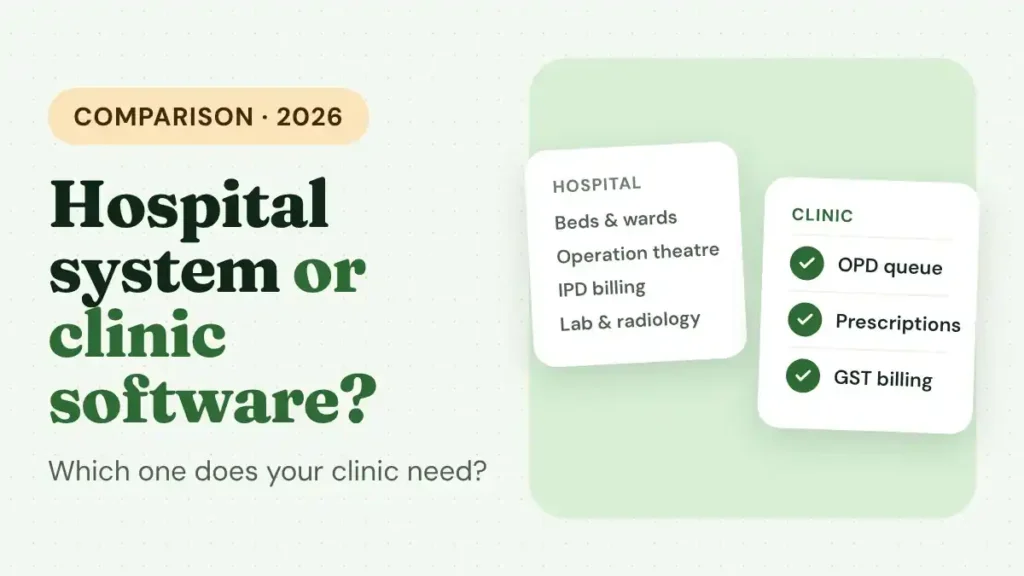
- Enterprise CRMs and hospital systems do a lot, but the pricing, setup and training are built for large hospitals or sales teams. That’s hard to justify for a clinic with two or three doctors. (If you’re weighing the two, see hospital management system vs clinic software.)
- Aggregator platforms bring visibility and bookings, but the clinic works inside someone else’s listing, and the patient relationship and data don’t fully sit with the clinic.
- Small single-purpose tools solve one piece: appointments, or billing, or a lead tracker, or a WhatsApp sender. The clinic ends up with four tools and the same problem as the spreadsheets, because the data still doesn’t join up.
Clinic management system features that fix these problems
Whatever you choose, judge it against the problems above, not against a feature list. A good clinic management system for a small speciality clinic should do these things.
1. One record per patient, keyed on the phone number
Phone numbers should be stored in one format, and the system should warn you, or link automatically, when a number already belongs to a patient. This one rule fixes duplicates, returning-patient checks and outreach lists at the same time.
2. Every enquiry tracked until it’s booked or lost
Calls, walk-ins, WhatsApp messages, website forms, referrals and ad enquiries should land in one place, separate from junk calls. Each enquiry moves through clear stages, gets a follow-up date and an owner, and ends as either a booked patient or a lost lead with a reason. This is what a “lead management system” means in a clinic.
3. Enquiry, appointment, billing and packages in one place
Converting an enquiry should create the patient and book the first visit without retyping anything. Walk-ins and booked patients should share one queue. Package sittings should be scheduled against the same patient record, and the invoice should come from the same visit.
4. Reports that join enquiries to revenue
Instead of a hand-made weekly table, the owner should see revenue by service, by doctor and by period, daily footfall, and which enquiry sources turn into paying patients. That’s what explains the “many calls, low revenue” months.
5. A process that survives staff changes
If the stages, follow-up lists and booking rules live in the software, a new receptionist can pick up today’s follow-ups on day one. The process stops depending on whoever trained them.
6. Consent and outreach built in
Consent and WhatsApp opt-in should be recorded when the patient registers, so reminders, recalls and greetings go only to people who agreed, from a clean list.
7. Compliance handled in the background
GST applied correctly per line, locked invoice numbering, prescriptions that carry the doctor’s registration number, role-based access, and a place for the patient’s ABHA number, so compliance isn’t one more manual job.
Five numbers to track instead of “calls received”
Once enquiries and visits share one record, swap the weekly hand-made table for these:
| Number | What it tells you |
|---|---|
| Enquiry-to-visit rate, by source | Which channel (Google, Instagram, referrals, walk-ins) brings people who actually come in |
| Follow-ups done on time | Whether the front desk is calling back when it promised |
| Top lost reasons | Whether you’re losing people on price, timing, distance or a competitor |
| Revenue by service and doctor | What keeps the clinic running, and which months depend on package patients |
| Treatments overdue | Patients who started a course and didn’t come back for the next sitting |
These five usually explain the “many calls, low revenue” month within a few minutes.
How ClinicManagerPro approaches it
We built ClinicManagerPro for exactly the clinics described above: speciality clinics with a handful of doctors, often more than one branch, and a front desk that can’t afford to lose track of patients.
- Leads and enquiries: every call, walk-in, WhatsApp, website, referral or Google Ads enquiry goes on one board (New, Contacted, Interested, Booked, Lost). Follow-ups are assigned and show up on the day they’re due. Converting a lead books the first appointment, and if the phone number already belongs to a patient, the lead is linked to that record instead of creating a duplicate.
- Appointments and queue: doctor slots with leave and holidays blocked, repeat sittings for treatments, and walk-ins and booked patients in one token queue.
- Reports: collections by day, branch and doctor, revenue by service, daily footfall, doctor performance, treatments overdue for their next sitting, and which lead sources bring real patients.
- Compliance: DPDP consent recorded with date and method, export or delete on request, role-based access, data stored in India, GST per invoice line and prescriptions with the doctor’s registration number.
- WhatsApp reminders and recalls: sent only to patients who opted in. Today our team runs this as a service for your clinic, and an in-app module is in development.
The goal is simple: the owner should be able to see what’s working, why, and what to change, without waiting for someone to build a table by hand.
A 30-day plan to get off the spreadsheets
You don’t need to change everything at once. A realistic order:
- Week 1: clean the phone numbers. Merge your three trackers into one list, standardise every number to 10 digits, and remove obvious duplicates and junk calls.
- Week 2: agree on stages and sources. Decide your enquiry stages, your lost reasons (price, timing, distance, chose another clinic) and the list of sources you’ll record.
- Week 3: move live work into one system. New enquiries, appointments and package sittings all go into the clinic management system from now on. Stop adding to the old sheets.
- Week 4: start the first outreach. Record consent, then send reminders for upcoming appointments and recalls for patients due for their next sitting.
Alongside this, register your doctors on HPR and the clinic on HFR. It takes little time, and it puts you ahead of whatever ABDM asks of clinics next.
What is a clinic management system?
A clinic management system is software that runs a clinic’s daily work in one place: patient records, appointments and queues, billing, prescriptions, follow-ups and reports. For small clinics, the most useful ones also track enquiries from first call to booked visit.
Can a small clinic manage patients in Excel?
It can for a while, but Excel can’t stop duplicate or badly typed phone numbers, can’t link an enquiry to a later visit or invoice, and depends on the person who maintains it. Once you have several trackers or more than one front-desk person, mistakes add up quickly.
What features should a clinic management system have?
At minimum: one patient record per phone number, enquiry and follow-up tracking, appointments with a walk-in queue, GST billing, prescriptions, treatment packages and reports that link enquiries to revenue. Consent recording and role-based access matter for DPDP, and an ABHA field helps with ABDM.
What is the difference between a patient management system and a CRM for clinics?
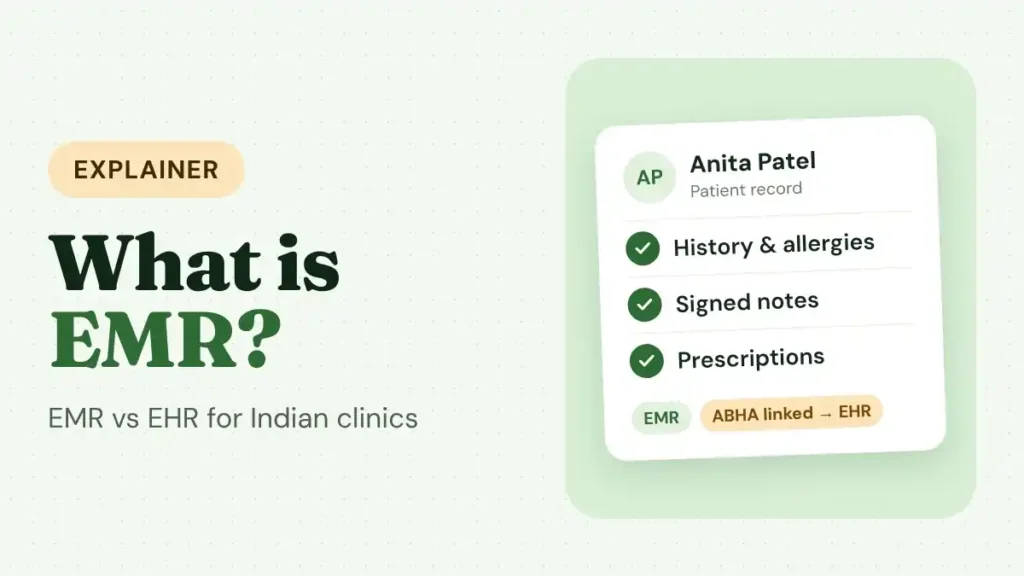
A patient management system focuses on patients who are already registered: records, appointments, visits and billing. A clinic CRM or lead management system focuses on enquiries before they become patients. Small clinics are better off with one tool that does both, so enquiries and patients share the same record.
Is ABDM compliance mandatory for private clinics?
As of November 2026, there is no blanket rule requiring every small private clinic to use ABDM-enabled software, though all clinics can join. Requirements are already in place or being rolled out for medical colleges and for hospitals empanelled under AB-PMJAY, and HPR and HFR registration are becoming standard. Registering early is a low-cost step.
What do I need to start with ABDM as a clinic?
Register each doctor on the Healthcare Professionals Registry (HPR), register the clinic on the Health Facility Registry (HFR), and start recording patients’ ABHA numbers where they have one. Linking and sharing records through ABDM then needs ABDM-enabled software.
How much does clinic management software cost for a small clinic?
Prices vary widely. ClinicManagerPro starts at ₹999 a month for one branch and one doctor, and ₹2,499 a month for up to three branches and three doctors, with a 60-day free trial and no card required.